You probably don’t need to pay for project management tool right now.
Most solo business owners start with the wrong one and quit within a week. They sign up for a paid plan, get overwhelmed on day 3, and go back to a Notes app. The right project management tool for a solo business owner is not the one with the longest feature list. It’s the one you actually open on a Tuesday morning when you have 6 things on the go.
This article compares the top free options, breaks down what each one actually includes, and helps you pick without the trial-and-error cycle.
Mr. Horse runs a 3-person web design studio in Portland. She tested 4 tools over 6 weeks before finding one that stuck. Her shortlist is the foundation for everything you’ll read here.
What Does a Free Project Management Tool Actually Give You?
This section covers what to look for before you sign up, so you don’t switch tools 90 days in.
Not all free plans are equal. Some cap your storage at 60MB. Others lock basic features like Gantt charts or time tracking behind paid tiers. Knowing the difference between a free plan that works and one that’s just a signup funnel saves real time.
Here’s what a solid free plan needs for solo business use:
Task Management and Custom Views
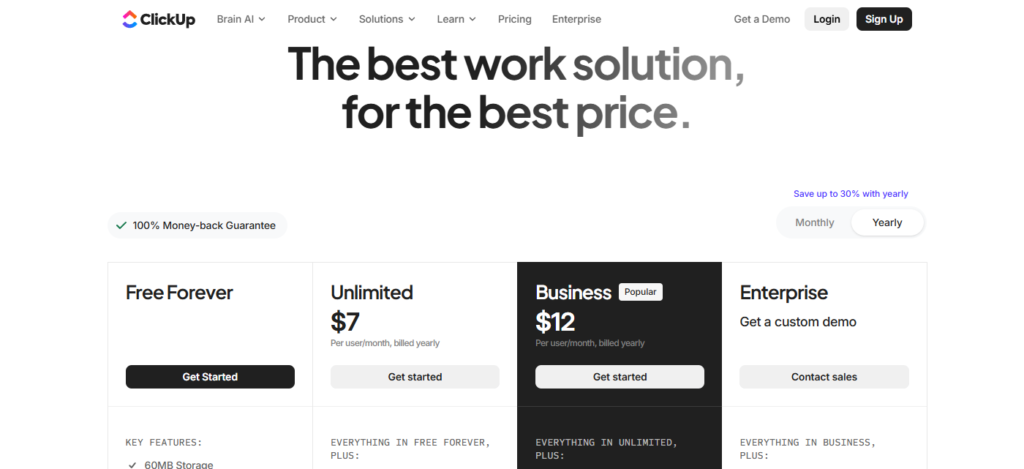
Your free plan should let you create tasks, assign due dates, and view your work in more than one format. ClickUp’s Free Forever plan includes 15+ custom views across unlimited tasks and unlimited team members. That gives you strong flexibility at $0.
Built-In Time Tracking
Solo owners who bill by the hour need time tracking built in. ClickUp includes native time tracking on its free plan. That removes the need for a separate app like Toggl. It also cuts one subscription from your monthly costs.
Document Storage
Notion and ClickUp both offer built-in document editors on free plans. Notion is the stronger pick for wikis and SOPs. ClickUp’s Collaborative Docs link directly to tasks, which keeps your work and your notes in the same place rather than across 2 different tabs.
The best free plan fits how you already work, not the one with the most features on a page.
Which Free Project Management Tool Wins for Solo Business Owners?
Most issues with a project management tool for solo business owners come from setup, not features.
According to G2 (2026), ClickUp holds a 4.7 out of 5 rating from over 11,843 reviews. The top reasons users stay: customization depth and the ability to replace 5 to 6 separate subscriptions with one platform. That matters a lot when you’re running everything yourself.
Mr. Horse needed 3 things from his tool: client project tracking, a place to store his SOPs, and time tracking for billing. Here’s how each tool handled that.
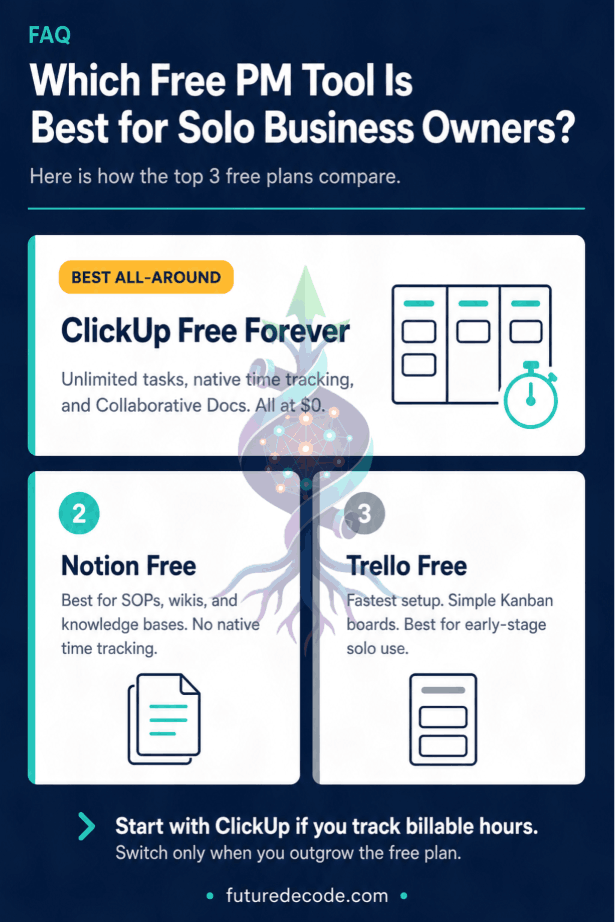
ClickUp Free
ClickUp’s Free Forever plan is the most feature-dense option at $0. You get unlimited tasks, unlimited members, native time tracking, Collaborative Docs, and Kanban boards. The storage cap sits at 60MB and automations max out at 100 per month. The interface takes adjustment. Most solo owners need 2 to 4 weeks to configure it before it saves more time than it costs.
Notion Free
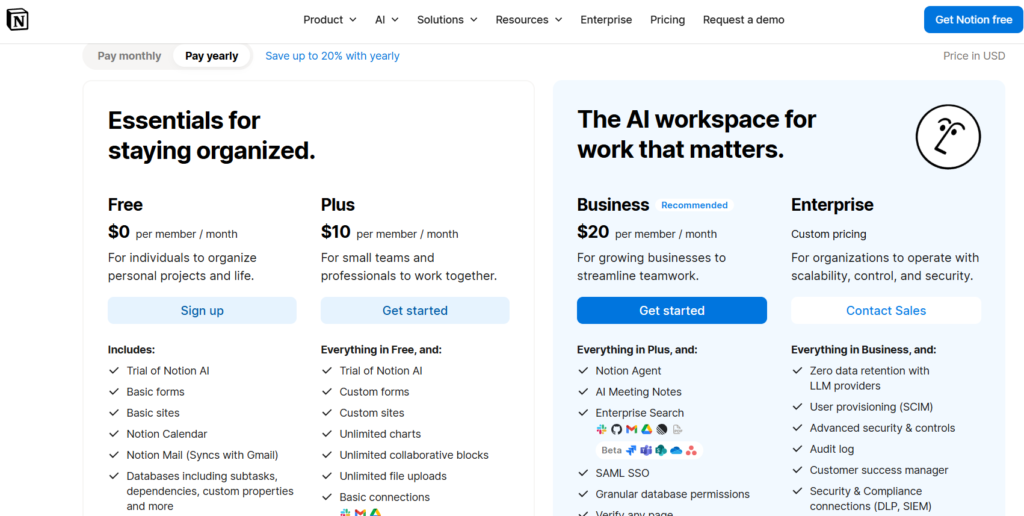
Notion is the strongest free option for documentation. Building a client wiki, an SOP library, or a knowledge base in Notion is genuinely easy. The gap shows up in project management: no native time tracking, no Gantt charts, and no task dependencies. Solo owners who need to schedule and track work alongside their notes will need workarounds.
Trello Free
Trello’s free Kanban boards are the fastest to set up. Zero learning curve. You can be tracking tasks within an hour. The limits show up quickly. Once you’re managing 3 or more active clients, Trello’s lack of time tracking, dependencies, and document storage becomes a real constraint. Most solo owners outgrow it within 3 to 6 months.
When you’re starting out, the free plan matters more than the paid one.
Why Do Solopreneurs Quit Project Management Tools in Week 2?
This section addresses the gap no competitor content covers: what actually causes solo owners to abandon a tool, and how to avoid it.
The tool is not usually the problem. The setup is. According to Capterra (2026), the most common complaint about ClickUp across 4,570 reviews is the overwhelming interface, not missing features. Users describe the sheer number of options as the barrier, not the functionality itself.
Most solo owners open ClickUp or Notion, see an empty workspace with 15 possible structures, and build nothing.
Start with 1 Space, not 5. Mr. Horse made this mistake. He built 5 Spaces on day 1: Marketing, Client Delivery, Finance, Admin, and Goals. By day 4, he had abandoned 4 of them. Start with one Space for active client work. Expand only when you feel friction.
Use a template from the start. ClickUp includes task templates that deploy a full recurring project structure in seconds. A standard client onboarding flow, for example, takes 20 minutes to build once and runs automatically from there.
Give it 10 days before judging it. Mr. Horse nearly quit on day 6. On day 11, he had his first automated client delivery workflow running. The 2 to 4 week onboarding reality is real. The tools that feel clunky in week 1 often feel essential in week 6.
The solopreneurs who get the most from project management software are the ones who start small and stay consistent, not the ones who build the perfect system on day 1.
| Tool | Best For | Starting Paid Price | Free Plan |
| ClickUp | All-in-one task and time tracking for solo service businesses | $7/user/mo (annual) | Yes (60MB storage, 100 automations/mo, unlimited tasks) |
| Notion | Documentation-heavy businesses needing wikis and SOPs | $10/user/mo (annual) | Yes (limited blocks, no time tracking) |
| Trello | Very early-stage owners with simple task needs | $5/user/mo (annual) | Yes (basic Kanban boards only) |
| Monday.com | Visual team workflows | $12/user/mo | No meaningful free tier (3-seat minimum on paid plans) |
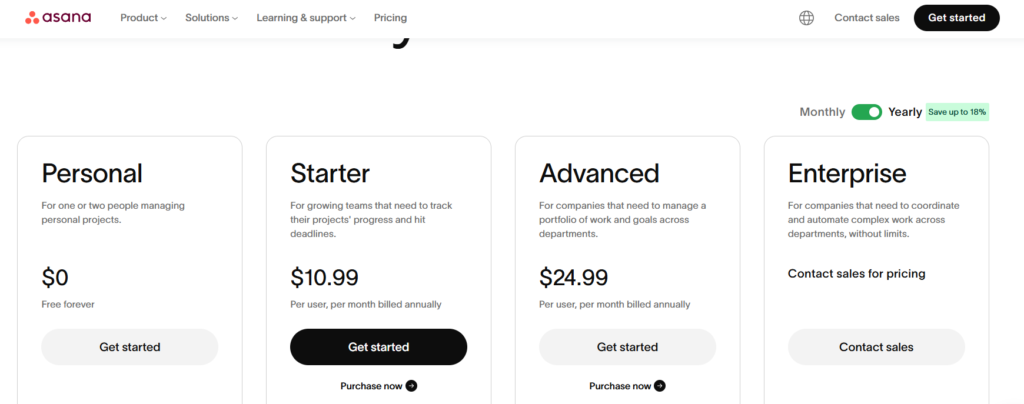
| Asana | Cross-team project governance | $10.99/user/mo (annual) | Yes (2-seat minimum on paid plans; basic features only) |
Pricing from raw data package, as of May 5, 2026.
Q/A
What is the best project management tool for solo business owners?
ClickUp’s Free Forever plan is the strongest all-around option for solo owners. It includes unlimited tasks, native time tracking, and document storage at $0. Notion is better if documentation is your primary need. Trello is the fastest to start but has the lowest ceiling for growing businesses.
What is the best free project management software for 1 person?
For a solo operator, ClickUp free handles task management, time tracking, and document storage without a paid upgrade. Notion free handles documentation and knowledge bases. Trello free covers basic Kanban task tracking. The best fit depends on whether your priority is project scheduling, documentation, or simplicity.
How do I choose the best project management tool as a solopreneur?
Write down the 3 things your business most needs from a tool before you sign up for anything. If you bill by the hour, time tracking is non-negotiable. If you manage complex client deliverables, you need task dependencies and multiple views. Match your shortlist to those 3 needs, not to the tool with the most features.
Does ClickUp work without technical experience?
Yes, but expect a learning curve. According to Capterra (2026), most users cite the overwhelming interface as the main barrier, not missing features. Start with one Space, one active project list, and one view. Build from there. Most solo owners reach a comfortable workflow within 2 to 4 weeks of consistent use.
Is Monday.com or Asana free for solo business owners?
Monday.com does not have a useful free plan and requires a 3-seat minimum on paid plans, which makes it an expensive fit for solo use. Asana has a free tier but gates core features and requires a 2-seat minimum on paid plans. Both tools are better suited to small teams than to single operators.
How much does ClickUp cost for a small business after the free plan?
ClickUp’s Unlimited plan costs $7 per user per month on annual billing. That tier removes the 60MB storage cap and adds Gantt charts, full resource management, and expanded automation. The Business plan costs $12 per user per month annually and adds advanced dashboards and Google SSO. ClickUp Brain, the AI add-on, costs an additional $9 to $10 per user per month.
The best project management tool for a solo business owner is the free one you’ll actually use past week 2.
Start with ClickUp’s free plan if you need time tracking and tasks in one place. Try Notion if your focus is documentation. You can test both for free and see which one fits your daily workflow.
Found this useful? Share it with a fellow solo founder still running their business from a spreadsheet.



Leave a Reply
You must be logged in to post a comment.